Ottermind Canvas is here: bring your ideas to life, step by step
A favorite image can be the beginning of something more: a different background, a small change, or a moving scene. Ottermind Canvas keeps text, images, video and audio together so you can continue creating from what you already have.
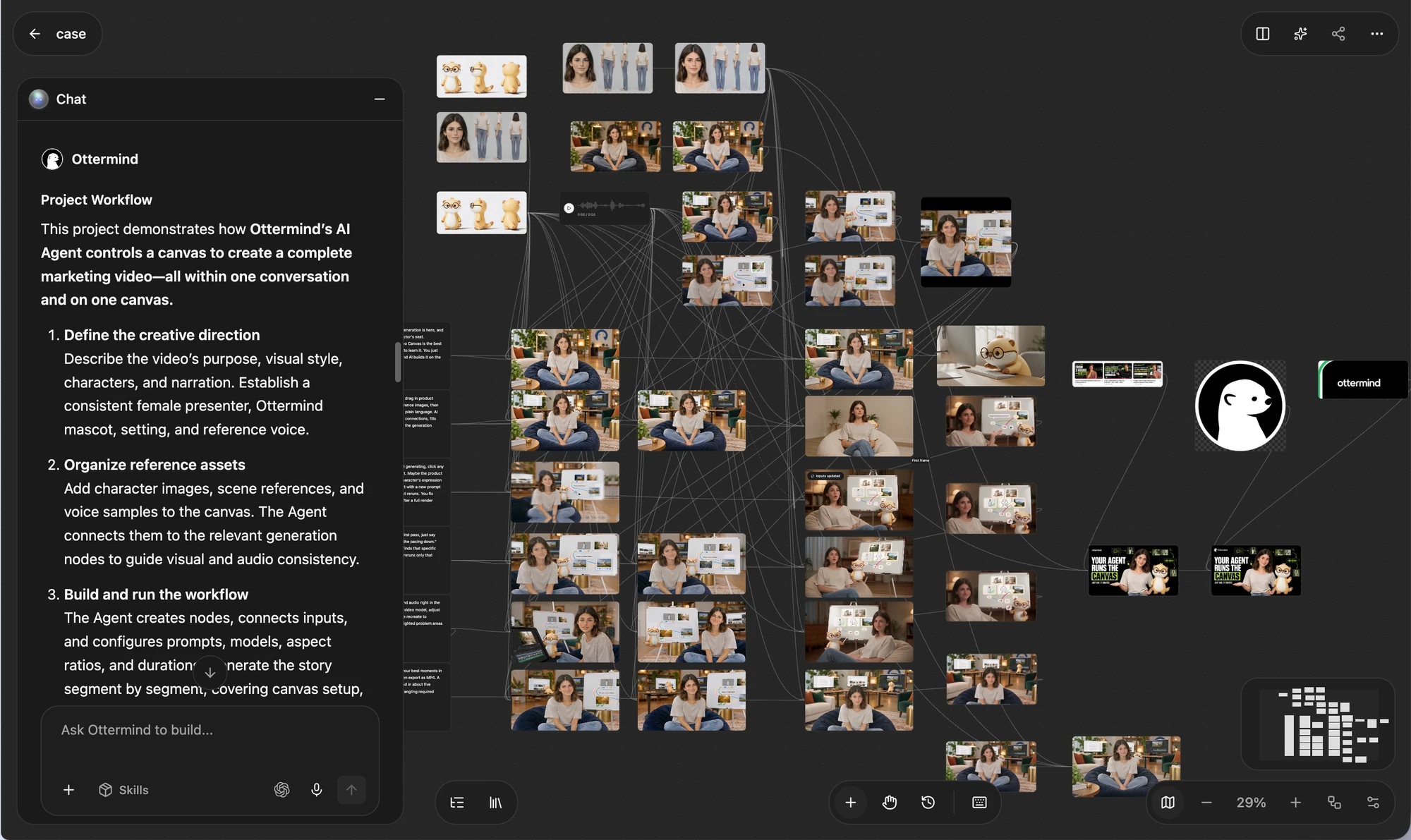
Start with your idea
Open Studio, create a new task, and describe your goal or upload an image. Ottermind prepares the relevant creation nodes. For a larger task, review and adjust the concept, script or storyboard before approving generation. Available Canvas Skills can help prepare specific creative tasks.
Refine the details
Select an image to use local repainting, erasing, AI backgrounds or cropping. You can also add it to chat and say, ‘Keep the cup and lighting; add a silver spoon to the table.’ Duplicate a node before trying another direction if you want to preserve the original.
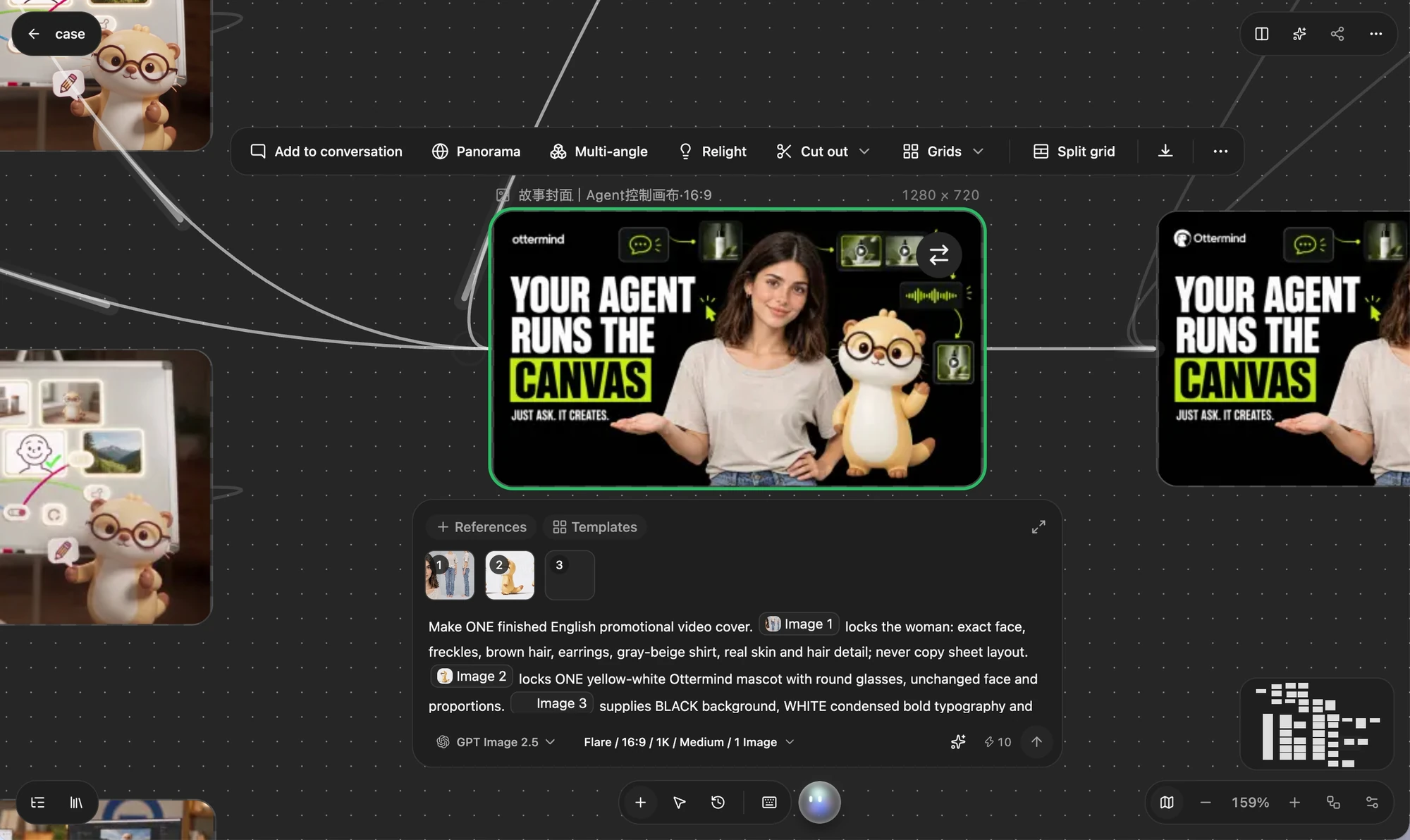
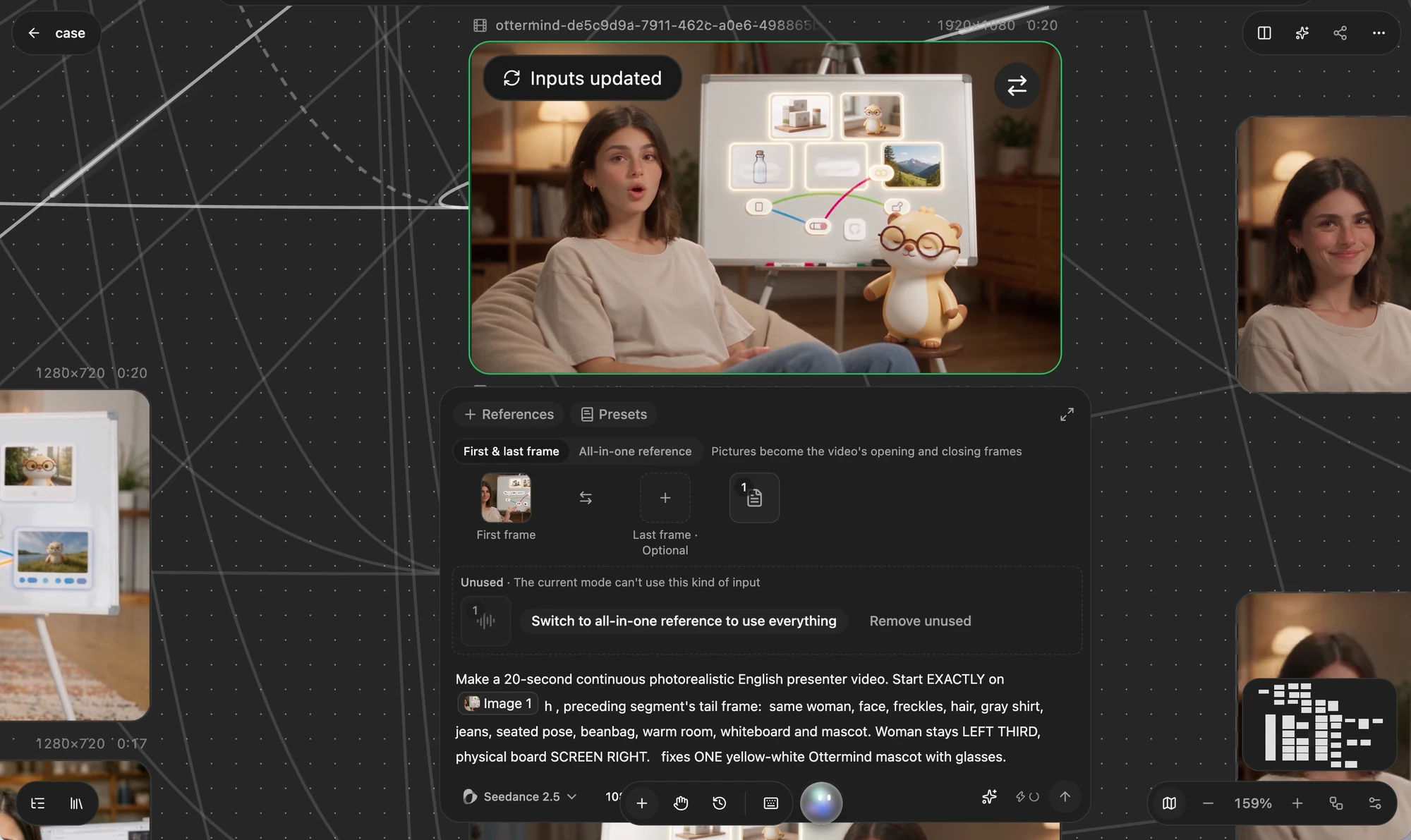
Connect an image to your next video
Each material or creative step is a node. Connect an image to a video node, assign it as the first frame, and describe the movement: ‘Steam rises gently as the camera slowly moves closer to the cup.’ Before generating, check the target node’s references, model, settings and estimated credits. Supported inputs vary by model.
Keep creating with your materials
Tell Ottermind what to change and what to keep, or adjust the relevant node yourself. Save favorite images, characters or settings to the asset library for reuse. Generation history helps recover materials from the current task; names, groups and the node directory help organize larger canvases.
Try your first Canvas project
- Create a task and describe your idea or upload an image.
- Review instructions, references and any concept or storyboard.
- Check the model, settings and estimated credits, then confirm generation.
- Review the result, refine it or connect the next step, and download when ready.
Use a computer for the full Canvas experience. Available features, models and estimated credits follow the current interface. Check image and audio details after generation.