About this template
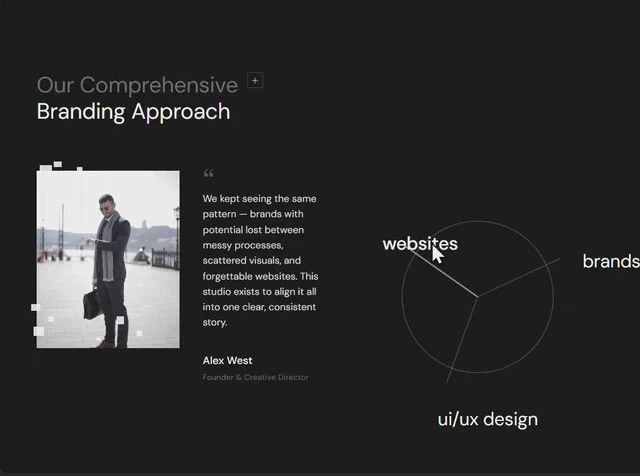
Radial Diagram keeps its decision trail: the brief that produced this features section runs 5,364 characters. It leads with “Our Comprehensive Branding Approach” and gives that line the frame rather than shrinking it into a card. Colour is limited to black #191919 underneath and white #EAEAEA for the type, set in DM Sans. The reference is built with React and Tailwind CSS, and the layout decisions are stated independently of it. The motion budget is 0.7s transitions. Borrow the structure and not the subject: the features section and its numbers move to your brand unchanged.
Designed for
- Made for agencies that pitch agency work and need a 640x476 frame in the first reply to the client.
- Made for content leads rewriting a features section whose headline has to stay as long as Radial Diagram's.
- Content leads who have to fit a longer headline will use DM Sans's line count as the limit, not the character count.
What's included
- Numbers carried into the build. The values are the specification: 60px spacing steps and 0.7s transitions, captured at 640x476 rather than inferred from a screenshot. Because the values are fixed, a substitution changes the look without changing the rhythm.
- Display size does the talking. Typography is DM Sans, and the brief assigns the face a job rather than mixing for variety. Weight, tracking and size steps are all specified, so the hierarchy survives a substitution. The size steps are fixed values, which is what lets a face swap keep the same hierarchy.
- Nothing here is inherited. Spacing is quoted the same way (60px spacing steps and 0.7s transitions), not as a scale that grows on its own.
- Faces with one job each. Set the display line last. The reference was captured at 640x476.
Motion & interaction
A small interactive surface
Interaction is local to each control here (hover states on the buttons and links rather than on every card), so nothing on the page moves as a side effect. Press states are specified as well as hover, so a tap gives the same confirmation as a click.
Short, named durations
Motion is measured in milliseconds here: 0.7s. That is the whole animation budget, and it is spent on state changes rather than on a scroll timeline. Easing is specified alongside the duration (0.7s), so a rebuild cannot quietly substitute a different feel.
Reading Radial Diagram as a spec
Every relationship on this page is a value you can check: 60px spacing steps and 0.7s transitions. That is what makes Radial Diagram rebuildable rather than merely reproducible. Nothing in this features section depends on a default.
The argument this features section makes
Suppose your media is louder than your copy. That is the case this composition is built for. The media is a still at 640x476. The frame stays quiet and 60px spacing steps and 0.7s transitions keep the reader on the text. It gives a agency reader the shortest honest route to the offer.
The timing behind the features section
Motion is a short list rather than a system. The brief names 0.7s transitions and hover and press states, and the rest of the page stays still. Nothing animates for its own sake in this features section.
Frequently asked questions
What do I get when I copy the Radial Diagram brief?
The captured brief runs 5,364 characters and covers the frame, the type scale, the palette and the transitions. Copying it gives you that text, and sending it to Studio stages the same request with the page already described.
Can I rebuild the Radial Diagram features section in a different stack?
Radial Diagram was built in React and Tailwind CSS, and the entry says so for provenance. The brief describes positions, sizes and timings, so it rebuilds in any framework that can set type and place elements.
How much of Radial Diagram is animated?
Entrances and state changes are in the 0.7s range. They are driven by state changes rather than a scroll library, and they never hold up the copy.