About this template
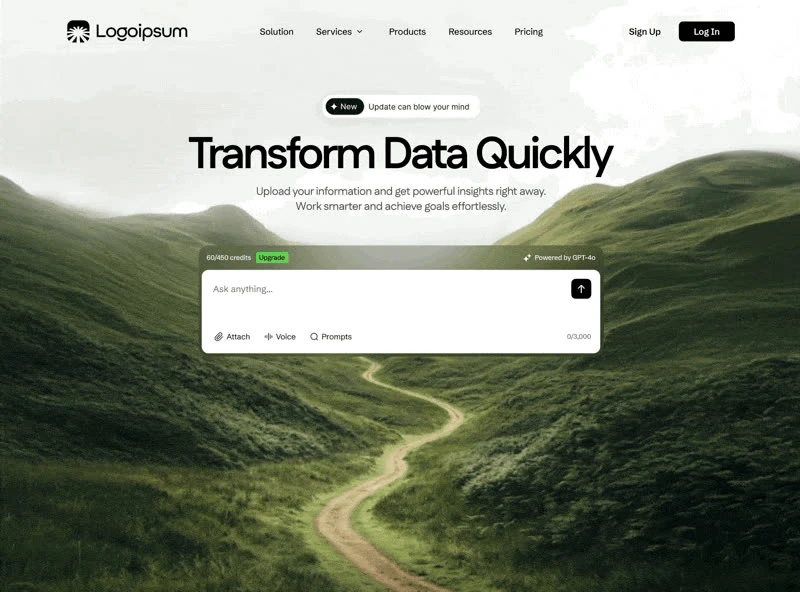
Quantum Lucid is the landing page reference for an AI or SaaS product, and the brief behind it is a full build spec rather than a mood board. The palette is neutral #F2F2F2 underneath, near-black #000000 for the type and shade #38C6EC carrying the accents, set in Figtree. Delivery is one self-contained HTML file, captured at 1920x1412 so the frame is fixed before any code is written. Motion is 1200ms transitions, cubic-bezier(.22, 1.36, 1) and a looping video bed, kept quiet enough that the copy still leads. Keep it open while you write: the 20,249-character brief is the part that transfers to your own page.
Designed for
- Teams building an AI or SaaS product landing page who need cubic-bezier(.22, 1.36, 1) easing on the record before an estimate goes out.
- Borrow the landing page structure whole and replace the copy line by line against one self-contained HTML file.
- If the reference is only a starting point, designers can keep a 216px breakpoint and rebuild the rest of the landing page.
What's included
- The bar shares the page grid. The row spends its contrast in one place: the #38C6EC action, with the wordmark and the links held back on the ink colour. Under 216px the links collapse into a full-screen overlay. Labels are short enough to fit one line at 216px, and the active item is marked with weight rather than with a pill.
- The video is the background, not a panel. The first screen is a single clip at 1920x1412, and everything else is arranged on top of it. Export at 1920x1412 or wider and the cover crop keeps working.
- The type carries the tone. The type is Figtree at the top of the scale, with the supporting copy dropped well below it so the hierarchy needs no colour to read. Substituting the face is possible, but the proportions have to survive the swap.
- A navigation bar that gets out of the way. Design the collapsed state before adding a sixth link. The reference was captured at 1920x1412.
Motion & interaction
Timing kept in the brief
Hover, press and focus all resolve in 1200ms, which is what makes the interface feel immediate. Every state change names a value, so the browser default is never used.
One element arrives
The entrance gives the page its arrival, and the composition is unchanged once it has run: each line rises out of an overflow-hidden window. Under reduced motion the element simply appears and the layout is unchanged.
What holds up for AI & SaaS
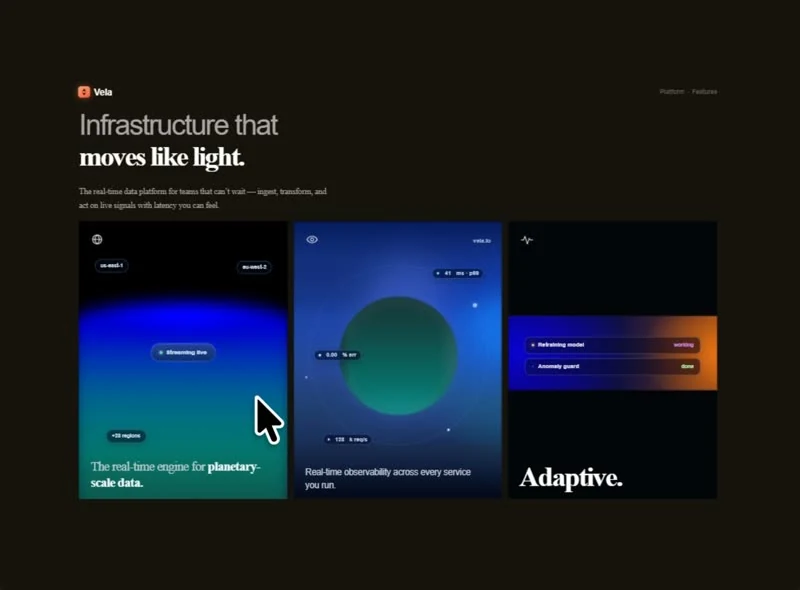
Where a template fills the fold with modules, this landing page uses navigation, the headline, the announcement badge, the stats row and the card grid and stops. The difference shows in 100vh sections and 26px corners: nothing is padded to fill space. It gives a SaaS reader the shortest honest route to the offer.
How Quantum Lucid sequences the first read
A strict order costs you flexibility later. Add a section above the fold and 100vh sections and 26px corners have to be re-cut, because the sequence is load-bearing rather than decorative. A SaaS reader gets the offer before the options.
What to change first in Quantum Lucid
Change the copy and the media first, the colour second, the layout last. The 1920x1412 frame and the Figtree scale are what hold the page together, so substitute around them rather than through them. Keep the frame and the scale; the subject is the part that should change.
Frequently asked questions
Can I rebuild the Quantum Lucid landing page in a different stack?
Quantum Lucid was built in one self-contained HTML file, and the entry says so for provenance. The brief describes positions, sizes and timings, so it rebuilds in any framework that can set type and place elements.
What does the brief behind Quantum Lucid actually contain?
The captured brief runs 20,249 characters and covers the frame, the type scale, the palette and the transitions. Copying it gives you that text, and sending it to Studio stages the same request with the page already described.
How much of Quantum Lucid is animated?
Entrances and state changes are in the 1200ms range using cubic-bezier(.22, 1.36, 1) with a reduced-motion branch in the brief. They are driven by state changes rather than a scroll library, and they never hold up the copy.