Golden Hour Water Splash Ahmed khan
Ahmed khanExplore 100 ready-to-copy Faymas prompts for cinematic portraits, fashion photos, creative collages, and product images. Find a look you love, make the prompt your own, and create your next image with Ottermind.
Ahmed khan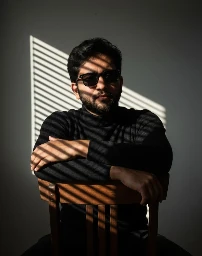 Abdul Rehman
 Prompt maker
 Rohit Dangol
 FaymasAhmed khanAbdul RehmanAhmed khanAbdul Rehman
 NIK CHAUDHARYAhmed khanAbdul Rehman
 Deepak jangidAhmed khanNIK CHAUDHARY
 Chanti Prince
 MUSHAYEDNIK CHAUDHARYChanti PrinceNIK CHAUDHARYAbdul Rehman
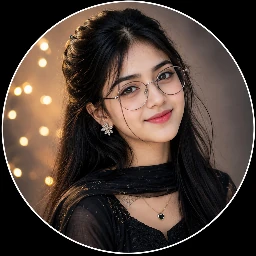 Mayabi PoriNIK CHAUDHARYNIK CHAUDHARYNIK CHAUDHARYAhmed khan
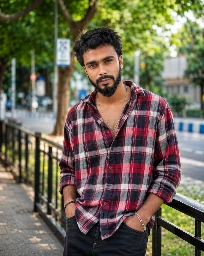 Rittik Ovro
 Shivaam kumaar
 Rohit RajChanti Prince
 Sumit RayAbdul Rehman
 Mahin KhanMUSHAYEDShivaam kumaarShivaam kumaarRohit RajAhmed khanShivaam kumaarChanti PrinceShivaam kumaar
 NGanimationCrDeepak jangidDeepak jangidChanti Prince
 SUNNY 😎Prompt maker
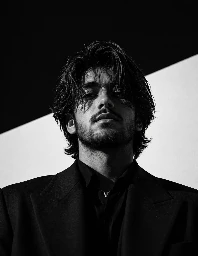 Muhammad Hannan
 Mohammad SameerFaymasChanti PrinceAbdul RehmanMUSHAYED
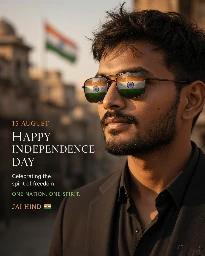 SurajDeepak jangidMUSHAYED
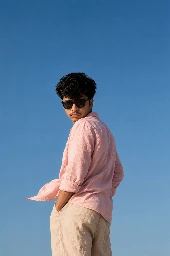 RifatAbdul Rehman
 Vishnu Kumar MeenaShivaam kumaarMUSHAYEDChanti PrinceAbdul RehmanSumit RayAhmed khanRohit DangolDeepak jangidChanti PrinceFaymas
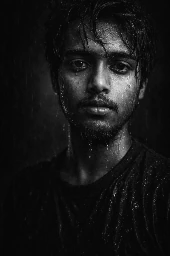 Dipanshu varmaAhmed khanFaymasShivaam kumaarAbdul RehmanAhmed khanAhmed khanFaymasMUSHAYEDChanti PrinceFaymasAhmed khanRohit RajShivaam kumaarDeepak jangidAhmed khanRohit Raj
 sandhya sarkarSumit RayChanti Prince
 Ravi JhaRohit RajMohammad SameerRohit RajChanti PrinceAbdul RehmanFaymasDeepak jangidDeepak jangidAbdul Rehman
 🤳Zafar Al Editors 99✍️🥷🫶FaymasFaymasFaymasDeepak jangid
Discover 100 Faymas AI photo prompts for cinematic portraits, creative collages, fashion edits, and product images. Copy a prompt for ChatGPT or Gemini, customize the details, or bring your favorite style into Ottermind to create your own image.
Free to browse and copy. Generation uses Studio credits.
Browse 100 Faymas AI prompts with image previews, full prompt text, and creator credits. Compare portrait, fashion, collage, and product styles, then copy the instructions behind your favorite look.
Find photo prompts shared for ChatGPT and Gemini, with the source platform listed in each example. Keep the composition you like and adapt the subject, setting, and details for your chosen image model.
Explore golden-hour portraits, double exposures, fashion shoots, and product campaigns. Customize lighting, outfits, backgrounds, and framing to turn a reference style into an image that fits your idea.
Open a prompt in Ottermind with Create similar images. Edit the text, add your own reference photo when needed, and choose an image model in Studio to start creating from the style you discovered.
Browse the Faymas prompt gallery and open an image you love. Read the full prompt and check its reference-photo requirements. Choose a portrait, collage, fashion, or product style as your starting point.
Select Create similar images to bring the prompt into Ottermind Studio. Upload your own reference photo when needed, then adjust the subject, lighting, outfit, and background to match the image you have in mind.
Choose your image model and review the generation settings in Studio. Generate your image, inspect the details, and refine the prompt as needed. Download the result when you are happy with your edit.
Faymas AI photo prompts are image-generation and editing instructions shared by creators on Faymas. This collection brings together 100 examples with image previews, full prompt text, creator credits, and links to the original posts.
You can copy a prompt into an image-capable ChatGPT or Gemini experience. Each example lists the platform reported by its source. Adapt the wording for your chosen model, since results can vary between models and versions.
Browsing the collection and copying prompt text is free. Generating images in Ottermind uses Studio credits according to your selected model and plan. Review the cost shown in Studio before starting a generation.
Choose a look from the gallery and select Create similar images to open its prompt in Ottermind Studio. Customize the text, add a reference photo if needed, choose your image model, and generate. You can also copy the prompt to use in another image tool.
Prompts that refer to an uploaded face or product need a reference image. Look for the reference-photo indicator in the prompt details and upload your own photo in Studio. The gallery preview is not automatically attached to your generation.
Keep the composition and lighting you like, then replace the subject, outfit, background, or color palette. For product images, fill in the requested brand and product details. Change one or two elements at a time so you can see what improves the result.
The preview is a reference for the style and composition, not a guaranteed result. Your photo, image model, settings, and variation between generations all affect the output. Review the result and refine the prompt to get closer to the look you want.
Find a portrait, collage, or product style you love. Make the prompt your own and bring it to life with Ottermind.
Explore Faymas Prompts