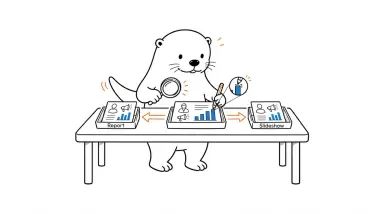
Skywork vs Ottermind: Deliverables, editing and costs compared

Skywork brings dedicated office and creative tools to a broad AI workspace. Ottermind connects research, reports, slides and campaign assets around one project brief.

Download Ottermind
Ottermind and Skywork comparison cover

How the products fit your work

Skywork is already a broad AI workspace. Its official help center lists documents, slides, sheets, websites, images and videos.

For a campaign team, the handoff matters as much as the first draft. Ottermind lets the source research, report, presentation and visual work share a project context. Skywork is a natural fit when its specialized production tools already form your publishing routine.

Key differences in everyday work

Both cover office and creative production. The choice is how you organize the work between deliverables.

Skywork
OttermindAnother way to organize the work
Starting point
General workspace plus specialized production tools.
✓A project workspace connects the brief, reference material and deliverables.
Documents and slides
Dedicated document, slide and spreadsheet tools.
✓Research, reports, presentations and data can form one project.
Visual production
Image and video creation alongside office outputs.
✓Image and video creation sit alongside writing and office work.
Web work
The help center describes full-stack website creation.
✓Website work includes a preview and source files for review.
Models and tools
Models and access depend on the selected production tool and account.
✓Multiple model families and MCP connectors provide choices within the workspace.
Repeatable work
The general workspace handles multi-step tasks alongside specialized production tools.
✓Skills and automations support recurring work in the project workflow.
Cost and handoff
Plan limits and export access shape the cost of the production workflow.
✓Credit-based subscriptions make model choice, task scope and revisions part of the cost.
Download Ottermind

From source material to deliverables

One campaign can move from supporting evidence to a presentation and landing page.

Evidence-backed brief

Task: Turn public product research into a short purchasing brief.

Skywork
The document workflow provides a dedicated route to a research brief.
Ottermind
Turn the product research into a purchasing brief with sources and a recommendation.

Visual communication

Task: Create a launch presentation and supporting campaign image.

Skywork
Slide and image tools address the presentation and campaign artwork.
Ottermind
Use the approved campaign facts to develop presentation content and supporting visuals.

A useful web handoff

Task: Turn the approved message into a landing-page draft.

Skywork
The website workflow extends the campaign into a web deliverable.
Ottermind
Carry the campaign message into a page preview and source files for revision.

Which choice fits your work?

Keep the setup that solves your main job.

Stay with Skywork when

Your campaign workflow centers on dedicated document, slide and media tools.

  • Your main job is producing documents, slides and visuals with Skywork’s existing tools.
  • You prefer dedicated tools for each office or creative output.
  • Your report, slide and website production already happens in Skywork.

Choose Ottermind when

You want research and campaign production to share a project context.

  • Your brief spans research, documents and creative deliverables.
  • You want source material and follow-up work in a project context.
  • You need results you can inspect and revise before handing them off.

Revise one campaign across two files

Use a campaign report and slide deck to check whether one changed fact stays consistent after export.

  1. Set up the campaign comparison

    Set up the campaign comparison

    Sign in to Ottermind and Skywork. Check available credits and export formats, then choose a short report and deck as the deliverables.

  2. Give both tools the same campaign packet

    Give both tools the same campaign packet

    Supply public or fictional figures, an audience and approved messaging. Request the report and deck, then change one campaign figure in both briefs.

  3. Inspect the revised exports

    Inspect the revised exports

    Open both files in your usual apps. Check the changed figure, unchanged claims and layout; record revision time, usage and manual repairs.

Questions before switching

Does Skywork already support images, videos and websites?+

Yes. Its official help center lists all three, alongside documents, slides and sheets. Compare output control, revisions and exports rather than assuming those categories are exclusive to Ottermind.

Is Ottermind an unlimited free alternative?+

No unlimited free allowance is promised. Check current trials, subscriptions and credits; models and task complexity affect usage.

How should I compare Skywork’s office and design tools?+

Use one source packet for a report, presentation and visual. After approving the facts, change one detail and check all three outputs. Review citations, layout and export editability; broad tool coverage alone does not establish which workflow needs fewer repairs.

Can I trust an editable export?+

Inspect a sample in the application you actually use. Editable text, chart data, fonts and slide layout can behave differently after export.

Which product is faster or better?+

This comparison contains no matched hands-on test or speed benchmark. Run the same brief, request the same revision and measure the usable result, not marketing claims.

Bring your next campaign into one project

Start with the research and build the report, presentation and campaign assets around the same brief.

Download Ottermind

Sources and scope

Reviewed September 9, 2026 using public official sources. Recommendations are workflow judgments, not hands-on test results. Models, regional editions and plan entitlements can change; verify the product you will actually use.