MagicLight AI Review: Story Videos, Credits, and Plans
MagicLight builds long videos from written stories. Below, we check its documented workflow, credits, and plan limits — or start one scene of your own from a prompt or a reference image here.
Optional
2026-11-05 · 9 min read
MagicLight AI is built around one promise: you paste a written story, and it returns a multi-scene video that can run far longer than a typical AI clip. The platform reads your prose, splits it into scenes, keeps a cast of characters, and lets you edit the storyboard before export. That is a different job from generating a five-second shot from a photo.
Whether that promise survives your own material is the question worth asking. This review covers what the vendor documents, what a plan actually buys, and the points where automatic scene-building still needs a human. If you already have one finished scene in mind, you can direct it in the Ottermind composer above; the rest of this page explains the workflow you would be comparing it with.
How this review was prepared: Official MagicLight pages — the story-to-video tool page, pricing page, FAQ, terms of service, and privacy policy — were checked on November 5, 2026. This is a documentation-based assessment, not a hands-on quality or speed benchmark. Ottermind publishes this article and offers its own image-to-video workflow. The cover and the two illustrations were generated with OpenAI's Image 2.5 model; none of them is a MagicLight interface or a MagicLight output.
What MagicLight AI is built to do
The official site positions MagicLight as a long-form video generator rather than a clip generator. Its headline claims videos up to 50 minutes, and the story-to-video page adds the specific input rule behind that claim: you can paste up to 12,000 characters of ordinary narrative writing, with no scene headers, shot notes, or formatting.
The platform then does the structural work: it looks for shifts in place, time, and who is present, and marks a scene break at each shift. You can move, merge, or split those breaks before any visual is generated. Each scene is assembled on a storyboard, where you can change the voiceover, replace frames, and pick from a library of poses before rendering.
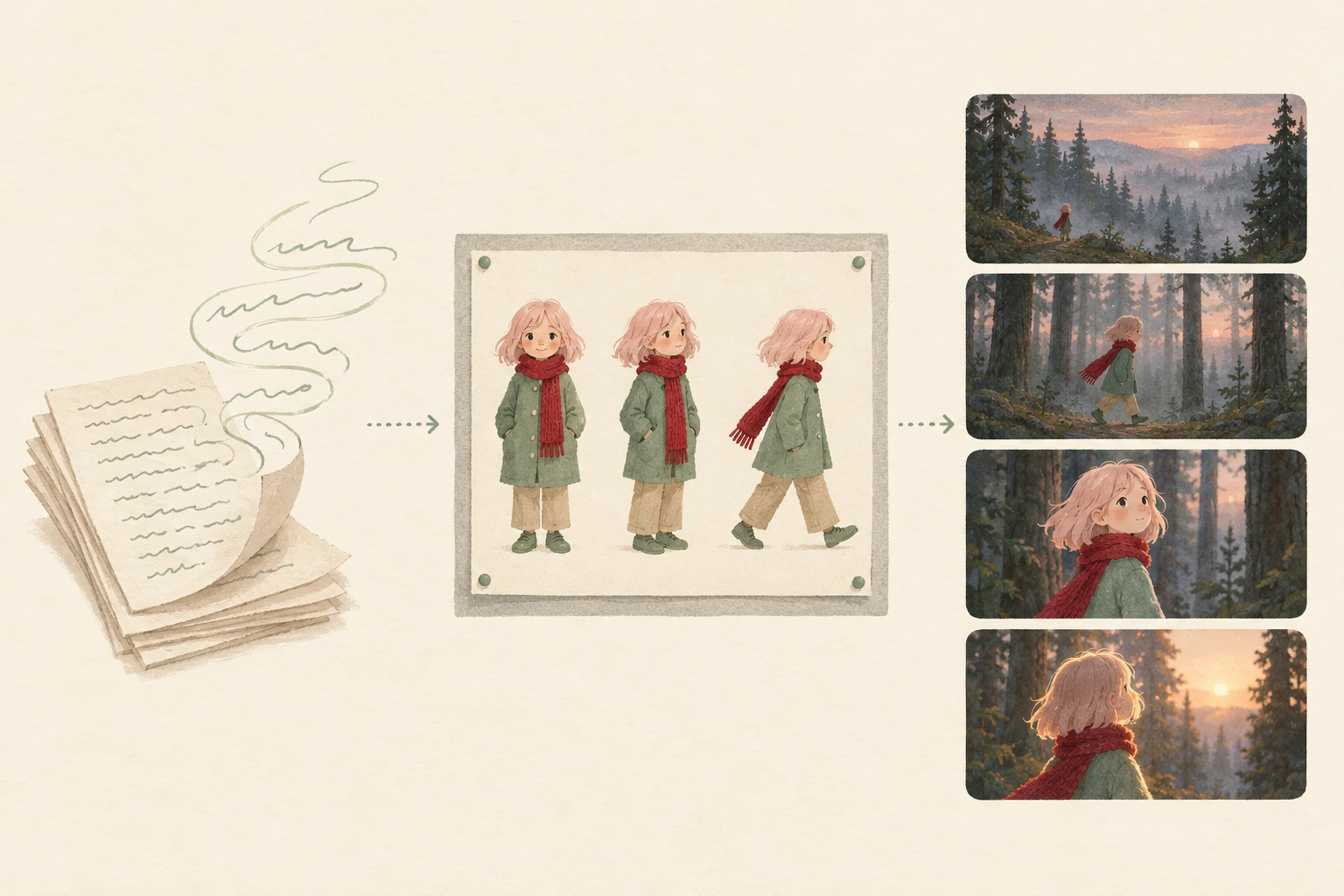
The pipeline MagicLight documents, left to right: a written draft, a saved character reference, and a strip of edited scenes. AI-generated conceptual illustration — not a MagicLight screenshot or a sample render.
The vendor's own numbers fill in the rest of the workflow:
| Documented capability | What the vendor states |
|---|---|
| Story length | Up to 12,000 characters of plain prose per video |
| Finished length | Videos up to 50 minutes |
| Character continuity | A character built from a 1,000-character prompt is kept on file and can return in later stories with the same look and voice |
| Visual styles | "20+" styles, from realistic to picture-book |
| Storyboard | Editable scene frames, "50+" poses |
| Narration | "37" narrator voices; narration in "11+" languages |
| Finishing options | "16" subtitle settings, "40" background music options |
| Models listed | Seedance 2.5 / 2.0, Kling 3.0, VEO 3, Sora 2, Wan, Hailuo, MiniMax H3, Nano Banana and others |
Treat the quoted counts as vendor claims. They describe what the interface offers, not how well any single story will come out. The site also advertises 50M+ minutes created, 30M+ videos, and 20M+ creators; those are marketing figures we have not verified.
Is MagicLight AI free?
Partly, and the free tier is narrower than "free trial" usually implies.
The homepage says "Free to try, no credit card required." The story-to-video FAQ is more specific: your first story is free and needs no card, the free plan's free credits support roughly one to two video generations, and content made on the free plan is described as mainly for testing and personal use. Commercial usage rights, by contrast, are attached to paid plans.
| Question | Documented answer |
|---|---|
| Card required to start? | No, per the homepage and the story-to-video FAQ |
| Free allowance | Limited credits; the FAQ describes about 1–2 video generations |
| Commercial use on free plan? | Described as testing and personal use |
| Commercial use on paid plans? | "General commercial license" is listed on each paid tier |
| Refunds on used credits? | The FAQ says credits cannot be refunded once used; the terms say fees are non-refundable unless stated otherwise |
That answers "can I try it", not "can I ship with it". For a published episode, the paid tier and its license are the relevant conditions.
What the five plans actually cost
MagicLight's pricing page shows five tiers with a billing toggle. The toggle is not cosmetic: switching to monthly billing changes both the price and the allowance, so the two options are quoted side by side below. Figures are the US-dollar amounts displayed on the page when checked.
| Plan | Monthly | Annual | Credits/mo (monthly / annual) | Video min/mo (monthly / annual) |
|---|---|---|---|---|
| Standard | $15.00/mo | $90/yr ($7.50/mo) | 6,300 / 8,000 | 110 / 130 |
| Plus | $28.00/mo | $168/yr ($14.00/mo) | 15,300 / 27,000 | 260 / 450 |
| Pro | $44.00/mo | $264/yr ($22.00/mo) | 33,300 / 47,000 | 560 / 780 |
| Ultra | $90.00/mo | $540/yr ($45.00/mo) | 84,000 / 150,000 | 1,400 / 2,500 |
| Ultimate | $150.00/mo | $900/yr ($75.00/mo) | 207,000 / 280,000 | 3,450 / 4,670 |
The annual option is labelled "Limited Time: 50% OFF" and is compared against the monthly rate, so the same tier costs half as much per month while including more credits — that is why the two allowance columns differ. Paying annually also means paying the full year upfront.
Every tier, in both billing modes, lists the same access to Seedance 2.5 and 2.0, Nano Banana 2, GPT 5.5 and MiniMax-H3, plus 1080P HD video without a watermark and a general commercial license. Pro and above add a 20% discount on foundational model usage; Ultra and Ultimate add priority acceleration. Image-to-video allowances differ per tier too, from 230 seconds on monthly Standard to 10,000 seconds on annual Ultimate.
One documentation caveat: the pricing page is the authority, not the FAQ. The FAQ still describes "Basic / Pro / Enterprise" plans that no longer match the checkout.
What a minute of video really costs
MagicLight does not publish a credit rate per minute, but its own plan cards let you derive one. Every tier pairs a credit allowance with an "up to" minute figure, and the ratio lands at roughly 60 credits per generated minute in every configuration:
| Plan | Credits ÷ listed minutes | Cost per minute, monthly billing | Cost per minute, annual billing |
|---|---|---|---|
| Standard | 6,300 ÷ 110 ≈ 57 | About $0.14 | About $0.06 |
| Plus | 15,300 ÷ 260 ≈ 59 | About $0.11 | About $0.03 |
| Pro | 33,300 ÷ 560 ≈ 59 | About $0.08 | About $0.03 |
| Ultra | 84,000 ÷ 1,400 = 60 | About $0.06 | About $0.02 |
| Ultimate | 207,000 ÷ 3,450 = 60 | About $0.04 | About $0.02 |
The cost columns are our arithmetic, using each tier's own "price per 100 credits" figure. They are not quotes and not per-video prices, and rounding hides real differences at the low end. The direction is what matters: at the same tier, annual billing works out roughly two to three times cheaper per minute, and moving from Standard to Ultimate cuts it by a further three to four times.
The FAQ states that credit consumption depends on video length, complexity, and resolution; the platform shows an estimate before processing starts, and credits are consumed when processing begins. So budget for more than one attempt. If a scene needs two or three tries before you accept it — normal for generative video — the effective cost of an accepted scene is the sum of the attempts, not the list rate for its length. Log one scene's estimate and outcome before you commit a month of credits to a series.
The four steps, and where they get hard
MagicLight reduces the workflow to four documented steps. Each has a failure mode worth knowing before you pay.
1. Paste the complete story. Up to 12,000 characters, no formatting. This is the real advantage: you keep writing the way you already write. But the input rule works best with prose that has clear shifts in place, time, and cast. Experimental or fragmentary writing gives the splitter less to work with.
2. Set up scenes and characters. The tool marks breaks and works out who appears in each. You then confirm the cast, either generated from a prompt or chosen from existing character options. This is the step to slow down on: moving or merging a break here costs seconds, while discovering a bad break after rendering costs a re-render.

Why step 2 is worth the time: one scene card being moved on a pinned storyboard, with the dotted outline showing where the automatic split put it. AI-generated illustration of the editing decision — not a MagicLight screen.
3. Edit each storyboard and proceed. Voiceover, frames, and poses are editable before generation. The vendor's own FAQ is candid that generation contains randomness and recommends retrying, refining prompts, and holding one style setting for continuity — which tells you the storyboard is where consistency is defended, not something you can assume afterwards.
4. Finalize and export. Subtitle style, background music, a thumbnail, and then export. Budget time for a caption and pacing pass; no vendor page claims automatic subtitle accuracy or that music will fit your cuts.
If your material is a chapter or a folk tale with a clear narrator, these steps map onto how you already work. If your material is a product launch with exact claims, the same steps will fight you, because the model is being asked to invent visuals for language that must stay literal.
Who MagicLight fits, and who should start elsewhere
The vendor names its own audiences: children's authors, classroom teachers, faceless channel operators, and brand storytellers. Read that list as a statement about where long-form narrative pays off.
A reasonable fit if you already own long-form story text, publish episodic narrative video, need one recurring character across several videos, or want narration in more than one language from a single draft.
A poor fit if you need product-accurate advertising with fixed on-screen text and packaging, frame-level editorial control over a 30-second cut, photoreal live-action, or a guaranteed price per finished video. None of those requirements are what automatic scene-building optimises for.
There is also a rights question that a plan does not settle. MagicLight's terms grant you ownership of the videos, images, and models made from your inputs, while also granting the vendor a broad license to use those assets to improve the service. They place responsibility for having rights in uploaded material on you, and they require users to be 18 or older. Paid commercial licensing covers your use of the output; it does not clear rights in a photo, a likeness, or a story you did not write.
One scene in Ottermind, or a whole story arc
If your goal is a finished 50-minute episode, MagicLight is the closer match on paper: scene splitting, a saved cast, and long-form assembly are its core design. Ottermind is not that product, and this page will not pretend otherwise.
Where the two meet is one scene at a time. The composer at the top of this article prepares a single video request — an approved reference image plus a motion brief — and hands it to Ottermind Studio with whatever model, settings, and credit cost your account shows there.
That makes a sensible division of work if you are producing a story series:
| Your next task | Where to do it |
|---|---|
| Develop the story, cast, and scene plan before any rendering | AI Story Generator builds an illustrated story draft with a character sheet and a scene plan you can review |
| Animate one approved still from that plan | Image to Video: attach the frame and describe the motion |
| Write a motion brief that holds a character's look | The image-to-video prompting tutorial covers motion, camera, and light in more detail |
| Split a 12,000-character draft into an editable storyboard automatically | MagicLight's story-to-video workflow is the tool built for that specific step |
For the illustration above, the third frame is the kind of input worth animating: one subject, one location, one direction of travel.
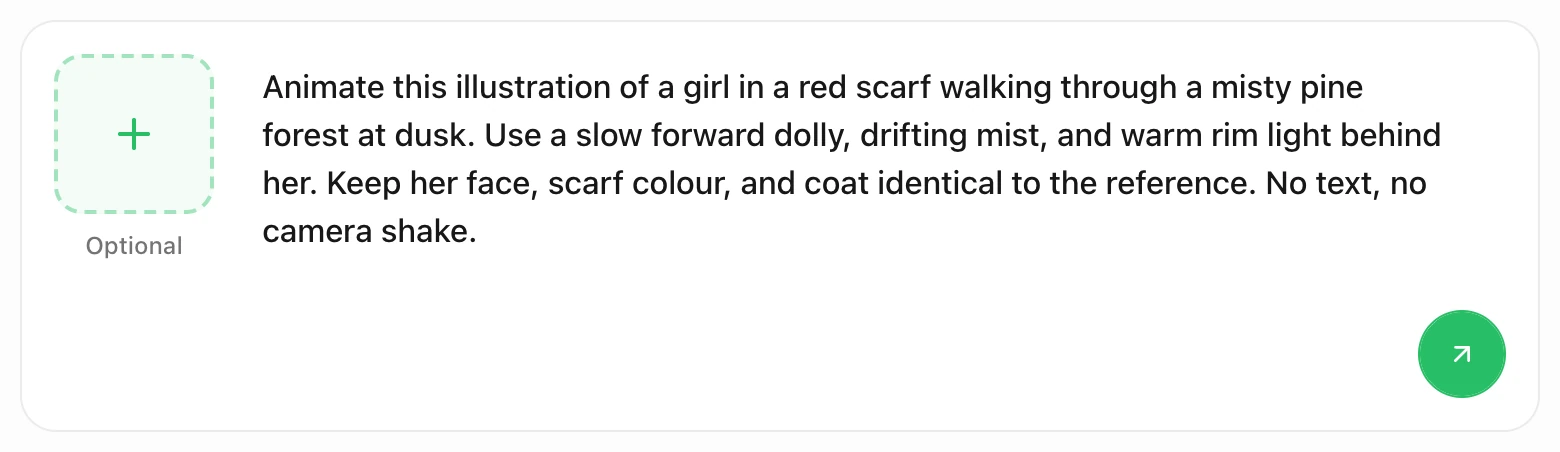
Actual Ottermind composer in this page's preview, with the brief typed in. The left tile adds an optional reference image; the round arrow sends the request to Studio. This is request preparation, not a generated result.
Animate this illustration of a girl in a red scarf walking through a misty pine forest at dusk. Use a slow forward dolly, drifting mist, and warm rim light behind her. Keep her face, scarf colour, and coat identical to the reference. No text, no camera shake.Choosing the arrow sends that brief and any attached image into Ottermind Studio. Review the model settings and the displayed credit cost there before generating; this page does not submit work on your behalf and does not connect to MagicLight. Compare the first take against the still: has the scarf stayed the same red, has the treeline held, is the motion as gentle as you asked? If not, adjust one instruction at a time rather than rewriting the whole brief.
A three-question check before you pay
1. Does your draft have scene-shaped prose? Count the places where place, time, or cast changes. If those shifts are clear, automatic splitting saves real work. If your text is a list of claims or a dialogue-only script, expect to do the splitting yourself in the storyboard.
2. Do you need commercial rights now? If the first video is a private test, the free allowance is enough to judge the workflow. If it is going to a client or a monetised channel, the paid tier is the relevant starting point, and you should confirm the license wording on your own checkout.
3. Does one month of your tier cover your real output? Multiply your intended minutes by your expected retry rate, then compare that with the tier's listed minutes. A series of ten-minute episodes behaves very differently from one 50-minute film, even at the same total runtime.
Where this review stops
We have not generated MagicLight videos, measured queue times, or compared output quality across its models and styles, so this review assigns no quality score and no reliability rating. The vendor's customer quotes on the story-to-video page are marketing material, not independent evidence.
On data handling, the privacy policy says uploaded images are used for generation and not retained, that uploaded facial images are never stored or cached, and that servers are hosted in the United States. It also describes optional YouTube integration scopes for uploading finished videos. Treat these as the vendor's stated practices, not an independent audit, and avoid uploading sensitive material while you evaluate the service. The terms are governed by Hong Kong law with binding individual arbitration.
One more documentation detail worth knowing: the FAQ and the pricing page disagree about plan names, and the FAQ's free-trial description is vaguer than the story-to-video page's. When they conflict, the pricing page and checkout are the operative description.
MagicLight AI FAQ
Is MagicLight AI free?
There is a free start with no card and a limited credit allowance, described as enough for one or two videos. Longer output and commercial rights are attached to paid plans, so treat the free tier as a test rather than a production budget.
Can MagicLight really make a 50-minute video?
Its site advertises videos up to 50 minutes and an input limit of 12,000 characters, and the plan cards pair each tier with a monthly allowance that runs from 110 minutes on Standard to 4,670 minutes on Ultimate in annual billing. Those are vendor figures for the platform and its plans; the achievable length for your story still depends on the model and settings you select.
Do I have to storyboard the story myself?
No. The tool proposes scene breaks from your prose and you can move, merge, or split them, then edit frames and voiceover on a storyboard before rendering. That editing step is where continuity and pacing are actually decided.
Is Ottermind the same product as MagicLight AI?
No. They are separate products from separate companies. Ottermind's composer prepares a single-scene video request and continues in Ottermind Studio; it does not call MagicLight or reproduce its automatic story splitting.
