A2E AI Review: Features, Credits, and What to Check
Compare A2E’s tools, plans, and workflows below. Start your own video from a prompt or reference image in Ottermind.
Optional
2026-11-04 · 9 min read
A2E is a browser-based AI media platform for generating and transforming images, videos, avatars, and voices. Its appeal is having several creative workflows in one account. Whether it suits your project depends on the task, selected model, credit cost, and whether the downloaded result meets your requirements.
The useful starting point is choosing the input you have: a still image, a portrait, an existing video, or a voice recording. A2E offers different tools for those jobs, so compare the workflow you need rather than the length of its feature list.
Here for a product video? You can also animate a reference image in Ottermind: attach a photo, describe the motion, and review the take. Below, we compare that route with A2E and provide a sample visual brief you can try.
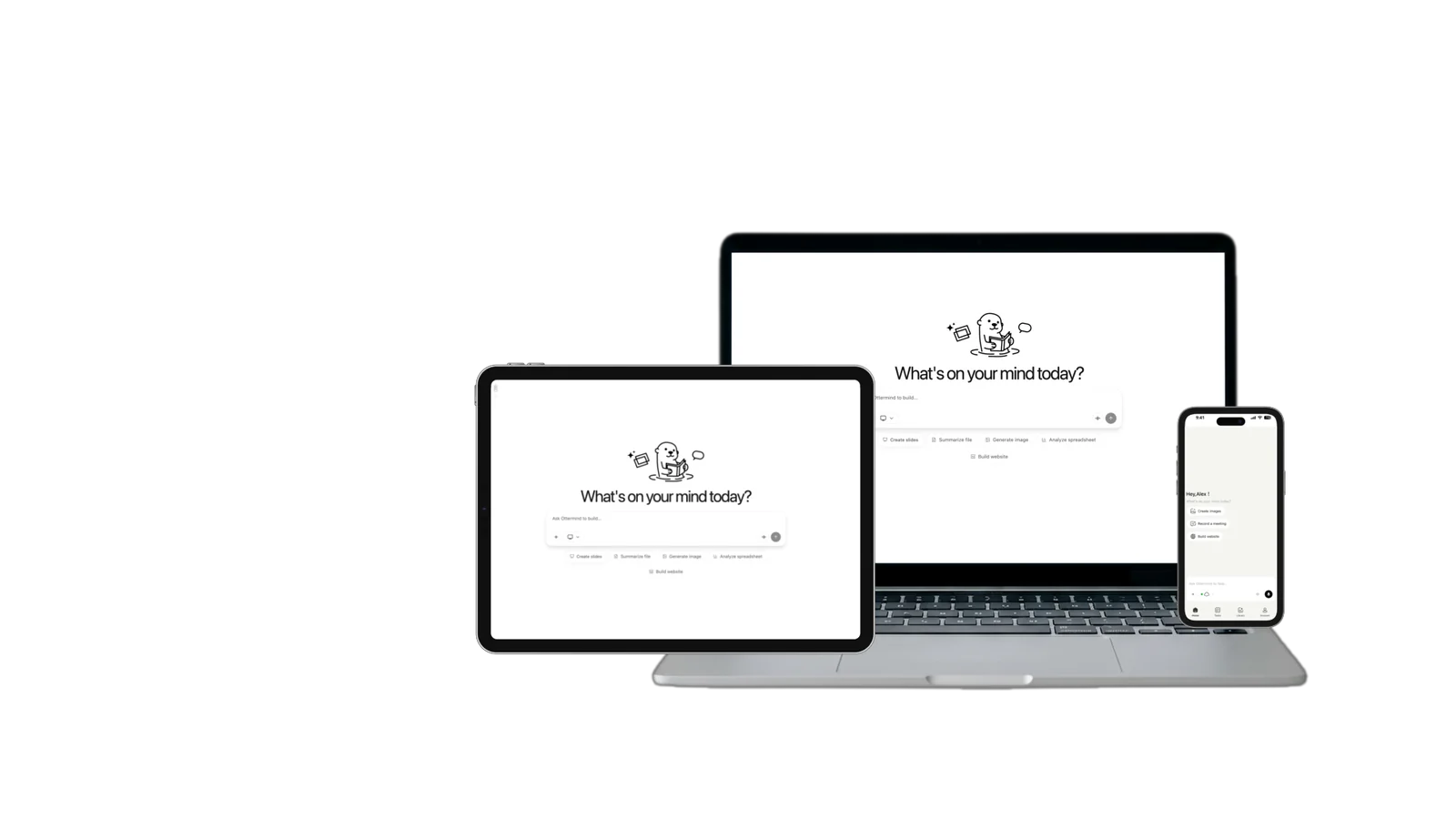
Research note: This A2E guide reviews official product pages and plan information checked on November 4, 2026. It is a source-based assessment, not a hands-on quality or speed benchmark. Ottermind publishes this article and offers its own creative tools. The article cover is AI-generated. The workflow illustration explains the cited documentation; the Ottermind composer image shows the actual interface. No generated video is presented as a tested result.
What is A2E AI?
The official A2E website lists image generation, image-to-video, talking portraits, lip sync, voice cloning, and face or head replacement. It also links to named third-party image and video models. Treat the service as a platform through which you choose a workflow and model, rather than assuming every feature uses one underlying system.
That distinction matters when evaluating a subscription. Access to a model does not establish that every plan includes every setting, or that one model's output quality applies to another. Check the exact generation screen for the combination you intend to use.
A2E is worth investigating when its generation, avatar, or audio tools fit your inputs. For a finished campaign, check which stages the selected tool actually covers and where the project continues after the first render.
Which A2E tool matches your task?
Choose by source material and desired result before comparing model names.
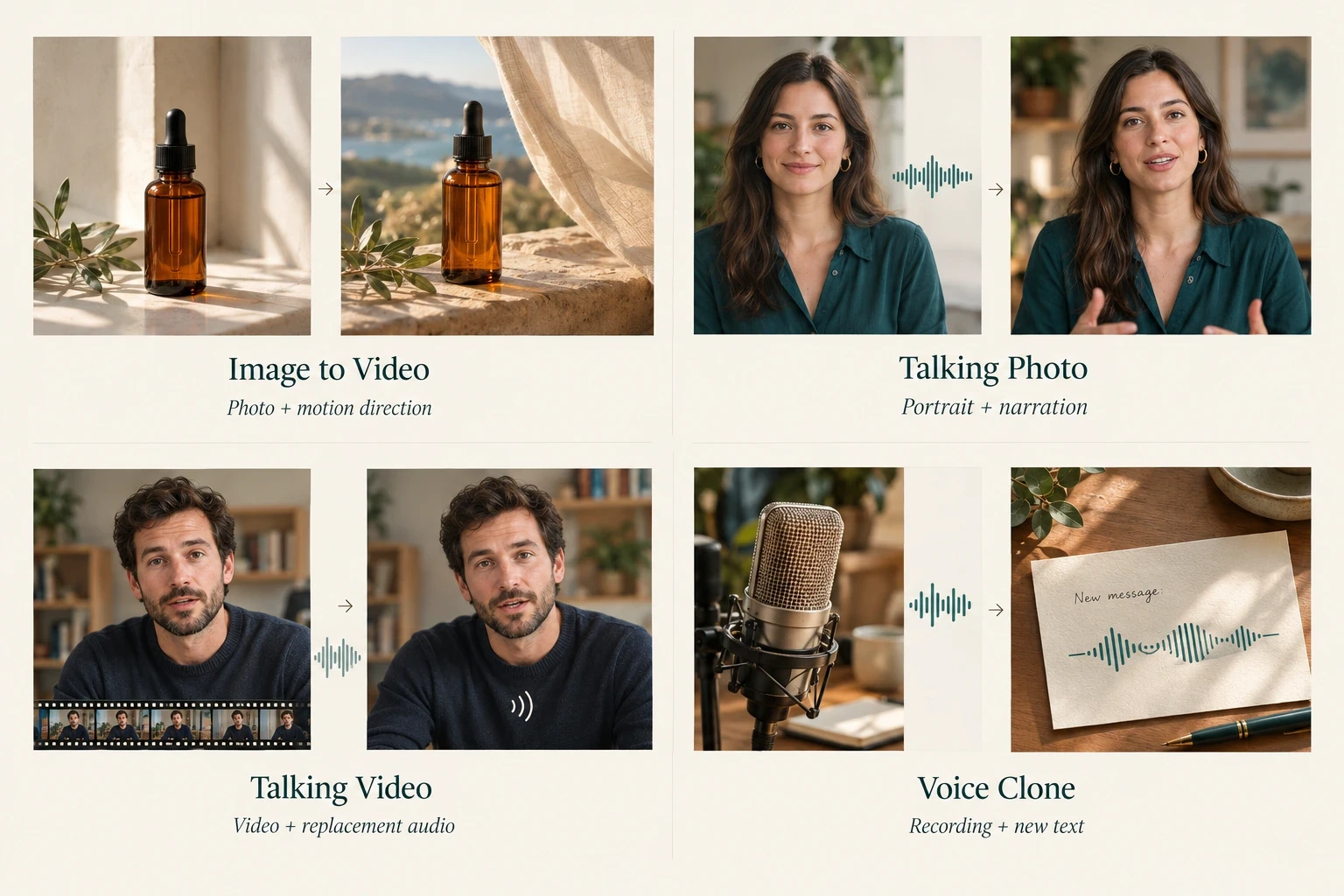
The four visual examples distinguish a still image with motion direction, a narrated portrait, a video with replacement audio, and a voice recording used for new speech. AI-generated conceptual illustration based on A2E’s Image to Video, Talking Photo, Talking Video, and Voice Clone documentation.
A2E Image to Video describes a photo-and-motion-prompt workflow with multiple model options. A sensible first request has one subject and one main movement. The available duration, resolution, and controls depend on the selected option; do not read a platform maximum as a guarantee for every generation.
A2E Talking Photo starts with a portrait and uploaded or generated audio. It is a different job from adding camera movement to a product image. Evaluate speech delivery and facial motion together, especially around pauses and the beginning or end of a sentence.
A2E Talking Video instead combines video with audio. Its documentation emphasizes a clearly visible face and describes limitations with several people speaking simultaneously. Use a straightforward single-speaker clip for an initial evaluation.
The A2E voice-cloning page describes creating speech from a supplied recording. It calls for source-voice rights or written permission. Choose a sample sentence with the names and terminology your real project needs, rather than judging a voice only on a generic greeting.
How A2E credits and plans work
The A2E in-app pricing page showed these headline terms when checked. Verify the current offer in your account before purchasing.
| Plan | Displayed price | Purchased allocation | Daily bonus |
|---|---|---|---|
| Free | $0 | — | 30 credits |
| Pro | $14.90 for 30 days | 1,500 credits per purchased month | 60 credits |
| Ultra | $59.90 for 30 days | 9,000 credits per purchased month | 90 credits |
Purchased allocations and daily bonuses follow different schedules. Do not treat the bonus-inclusive total as an upfront balance. Confirm current conditions on the A2E pricing screen.
The A2E purchase screen describes a one-time payment for the selected term without automatic renewal. That means a bounded purchase period, not permanent premium access. Its bonus-inclusive totals should not be confused with the upfront allocation. Check any claim requirements and applicable expiry rules separately.
Before generating in A2E, inspect the charge for your exact model, length, and output setting. A large balance tells you little until you know how much each attempt costs.
A practical A2E test before you pay
Here is a hypothetical evaluation for a small shop that wants a short product clip. It is a test plan you can use, not a result we obtained from A2E.
The useful unit is an accepted deliverable at a known credit cost. Compare two A2E configurations against the same input and acceptance standard, then decide whether either fits your budget. You do not need a large batch to discover that a required setting is missing or unaffordable.
1. Record the configuration and quoted charge
Choose one rights-cleared product image and a short shot brief. If you need help describing movement, use the existing image-to-video prompting tutorial; this exercise focuses on evaluating the platform rather than teaching prompting again.
Before running an A2E task, record the model name, generation mode, duration, resolution, displayed charge, and starting balance. Also note the plan you are using. A quote for one model or resolution cannot establish what a different configuration will cost.
2. Compare a small number of attempts
Set a credit limit first. Keep the source and brief fixed while changing one available setting or model. Log each attempt separately:
| Trial record | What to write down |
|---|---|
| Configuration | Selected A2E model, mode, length, and resolution |
| Quoted cost | Credits displayed before submission |
| Actual usage | Balance before and after the task |
| Decision | Keep or reject, with one concrete reason |
If your balance cannot cover the target configuration, stop and price that gap before buying. Do not count a cheaper configuration as proof that your intended one will meet the brief. If a task fails or a deduction is unclear, record its task identifier and ask support how it was charged; do not assume a refund.
3. Calculate cost per accepted clip
Decide which downloaded files actually meet the brief. Judge every A2E output against the same product-identity, motion, aspect-ratio, resolution, and watermark requirements. Record why a clip fails instead of changing the standard to make it count as a success.
Compare cost per accepted result, not cost per generated result. For example, if you spend 120 credits across attempts and keep two clips, the observed cost is 60 credits per accepted clip. Those numbers are hypothetical, not A2E rates or a predicted success ratio. If none pass, record the experiment as unsuccessful instead of treating every download as usable output.
Commercial use, consent, and retention
The A2E commercial-use FAQ says paid-plan videos may be used commercially. Its Terms of Use also place responsibility for lawful reuse on the user and acknowledge possible third-party copyright issues. A subscription alone does not clear rights in an uploaded photo, logo, likeness, or recording.
Before a client project, confirm source permissions, intended distribution, and any restrictions affecting the selected workflow. Ask the vendor which commercial terms apply to that paid feature if the checkout and general terms leave this unclear. Keep permission records with the project. These are practical review questions, not a blanket legal clearance for generated material.
The A2E terms also describe deletion of generated audio and video after a website-specified retention period. Do not rely on an A2E account as your only archive. Save accepted outputs and the settings needed to reproduce your work; verify current retention details before uploading sensitive or irreplaceable material.
A2E or Ottermind: choose by your starting point
A2E and Ottermind can be evaluated against the same creative job. Start with the material you have and the next result you need, then inspect each platform's available settings and credits.
| Your next task | A2E route to inspect | Ottermind starting point |
|---|---|---|
| Animate a finished product photo | A2E Image to Video | Image to Video: attach the reference and direct the motion |
| Create a product still before animating it | A2E's selected image-generation tool | AI Product Image Generator: develop the scene from a product photo |
| Build a video direction from a written brief | The selected A2E generation mode and its inputs | AI Video Generator: develop shots and refine the brief in conversation |
A2E's talking-photo, voice-cloning, and lip-sync tools deserve a separate evaluation if a speaking presenter is your main requirement. The product-photo route below serves a different task: taking a visual you approve and directing a short moving shot.
Ottermind's video workflow keeps the brief and references in the conversation so you can request another treatment. Use that route when you want to iterate on the creative direction around the clip. Compare actual outputs and quoted charges before deciding which platform fits; the table is a workflow map, not a quality ranking.
Try the workflow in the generator above
Use the same product image and acceptance criteria you would use for an A2E trial. The generator at the top of this article is Ottermind’s actual prompt-and-attachment composer. It prepares the video request on this page; choosing Generate sends that request into Ottermind Studio.
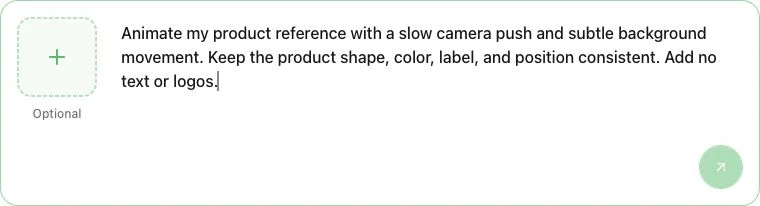
Use the left + tile for an optional reference, write the motion brief on the right, and send the request with the round arrow at the bottom right. The screenshot shows request preparation. The arrow sends the prompt and any attached image to Studio; it does not show a generated result.
Click the button below to fill the Hero’s input with this product-shot brief, then attach a photo you can use:
Animate my product reference with a slow camera push and subtle background movement. Keep the product shape, color, label, and position consistent. Add no text or logos.Before choosing Generate, check the current model settings and credit conditions for your intended workflow. Compare the take with the source and the same A2E trial criteria. If the movement is too strong, request a gentler camera move with the same reference.
If the source still needs work, first inspect the AI Product Image Generator. Approve the product details before moving to video. That makes the choice practical for an A2E researcher: prepare a usable still, or take an approved image straight into motion.
A2E FAQ
Is A2E free?
There is a free plan with daily bonus credits. That does not mean every model, resolution, export, or volume of work is free. Check the task charge and the free-plan restrictions before running it.
Is A2E one AI model?
No. It is a platform offering multiple tools and model choices. Evaluate the exact feature you need rather than treating the whole catalog as one model with uniform behavior.
Does a one-time payment buy lifetime access?
The checked A2E purchase screen describes payment for a selected term. Verify the duration, credit schedule, and renewal conditions shown in your own checkout.
Is A2E worth paying for?
It is worth considering if a controlled trial produces accepted files at a cost you can sustain. If the outputs fail your quality, rights, or delivery requirements, a broader feature list is not a reason to purchase.